
Blog
How to Protect Business Conversations Across Multiple Devices? SafeW's...
Employees use phones, laptops, and tablets for work, making business conversations vulnerable. SafeW ensures secure, controllable cross-device communicati...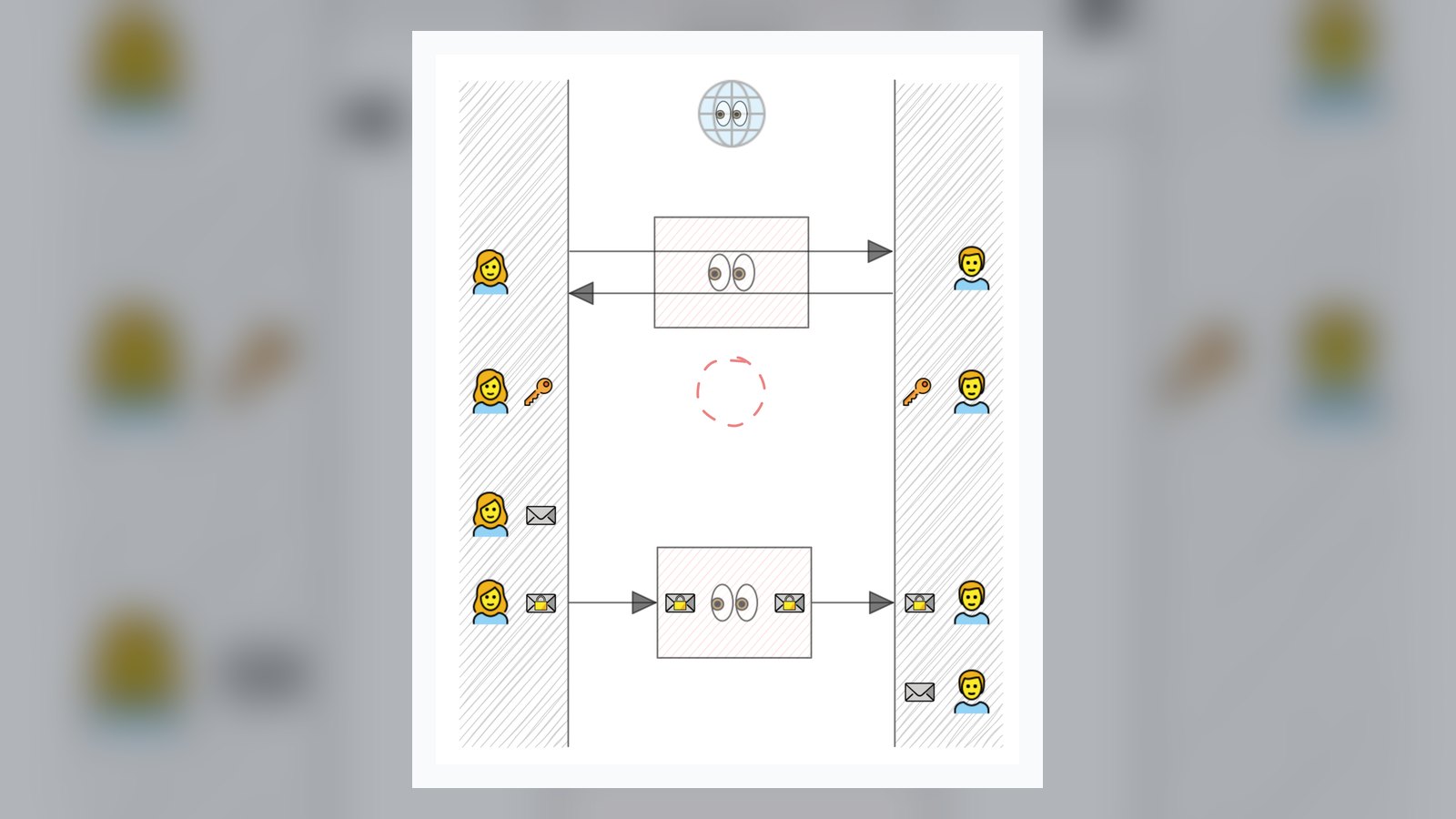
A sales rep replies to a client's quote request on their phone, a developer discusses code vulnerabilities on a laptop, and an executive reviews a merger agreement on a tablet—these business conversations scattered across multiple devices can each become a leak point if there is no unified security policy. Messages on public cloud IM are decrypted on the server side, chat history can be read directly if a device is lost, and cross-device sync often means data is copied across multiple nodes. SafeW provides a complete protection solution from endpoint to server.
The Three Major Leak Risks of Multi-Device Work
Corporate employees use an average of 2.8 devices for work, and the risks are concentrated in three areas:
- Transmission: Chat content on public networks can be intercepted by man-in-the-middle attacks, especially when connecting to unfamiliar Wi-Fi.
- Storage: If a phone is lost or a laptop is stolen, an unencrypted local database exposes all historical messages.
- Synchronization: If multi-device sync relies on plaintext relay through a vendor's server, it is equivalent to handing business secrets to a third party.
A sales director at a medical device company lost a tablet at an airport. It contained an unencrypted channel price list, and a competitor launched targeted pricing two weeks later. Such incidents are not isolated cases.
How SafeW Achieves Cross-Device Security
SafeW is a secure encrypted instant messaging tool for enterprises, with core mechanisms built around three layers:
End-to-End Encryption Covers All Devices
Messages are encrypted on the sending device, and only the recipient's device can decrypt them. Phones, laptops, and tablets each hold independent keys, and the server cannot read the content. Even if a device is lost, the key becomes invalid after remote wipe, and historical messages cannot be recovered.
Private Deployment Keeps Data on the Enterprise Intranet
SafeW supports deploying the server on the enterprise's own servers or private cloud. Message routing, file storage, and user authentication are all completed on the intranet without passing through external nodes. Industries sensitive to data sovereignty, such as finance, law, and healthcare, can fully control the communication chain.
Multi-Device Sync Without Sacrificing Security
SafeW's multi-device sync uses a ciphertext synchronization mechanism: when a new device joins, it must be verified by an already authorized device, and what is synchronized is an encrypted copy of messages, not plaintext. Employees can start a conversation on their phone, continue on a laptop, and review files on a tablet, all while maintaining end-to-end encryption throughout.
Practical Uses in Enterprise Scenarios
A cross-regional law firm uses SafeW for merger and acquisition communications. Partners review draft contracts on tablets, lawyers organize due diligence checklists on laptops, and assistants confirm meeting times on phones. All messages and files flow through a privately deployed SafeW server and cannot be intercepted externally. The large group feature supports 2,000 people online simultaneously, and the Bot/API interface automatically archives case discussions to the internal knowledge base, reducing manual organization.
If your team also switches between multiple devices for work, consider starting with a SafeW private deployment trial. Let one department first experience the integration of encrypted chat and multi-device sync, then gradually roll it out company-wide. Building security habits often starts with one smooth cross-device conversation.